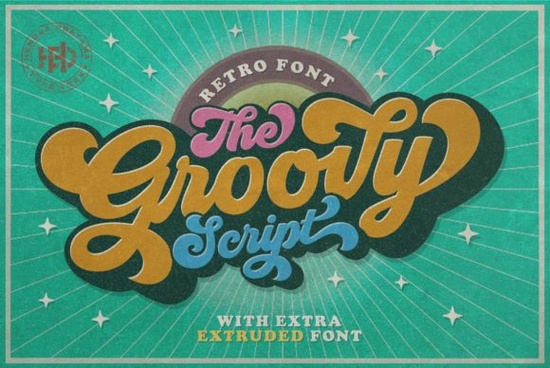
What makes the Groovy Font feel so authentic?
The secret is in the details. The Groovy letterforms lean into exaggerated, looping swashes and a bouncy baseline that instantly recalls 1970s concert posters and soda ads. Stroke contrast varies playfully some strokes thin out elegantly while others swell with confidence. The overall rhythm isn’t stiff; letters feel like they’re bopping along to a bass line. This isn’t a digital interpretation that over‑polishes the roughness. It keeps a hint of that imperfect, hand‑lettered warmth, which makes it land so convincingly on everything from retro wedding invitations to print‑on‑demand tote bags.
What projects does Groovy work best on?
This font shines brightest on display‑sized text where its personality can take center stage. Think:
- band posters and concert flyers
- retro‑themed t‑shirt and hoodie graphics
- social media headers for vintage shops or music venues
- packaging for craft beverages or throwback snack brands
- greeting cards, stickers, and party invitations
- podcast cover art with a 70s vibe
For print‑on‑demand sellers, the font translates well to mock‑ups because its bold strokes stay readable even on smaller prints. Crafters using heat‑transfer vinyl will also appreciate that the open counters and connected letters cut and weed reliably without tiny islands breaking off.
How does it pair with other typefaces?
Because Groovy is so expressive, it pairs best with quiet, no‑nonsense companions. A clean geometric sans‑serif like Montserrat or a simple serif like Georgia creates a clear hierarchy without competing for attention. You can also set short headlines in Groovy and run longer descriptions in a neutral condensed typeface. Keep the decorative font for the hero message, and let everything else step back the result feels intentional rather than chaotic.
How does Groovy stack up against other script fonts?
Every script font has its own personality, and knowing when to choose one over another can save you hours of trial and error. If you need something sweeter and more playful, Hello Honey offers a bouncy, handwritten charm that works beautifully for baby showers or dessert packaging. When you’re after a bolder statement, Daddy brings thick, classic strokes with a vintage sign‑painter feel great for impactful logos. For delicate, romantic projects such as wedding stationery or poetry prints, Little Love feels lighter, almost like a felt‑tip pen. And if you enjoy the swashy spirit but want something with a more modern, trendy edge, Summer Hipster blends casual script with boho vibes. As for Groovy, it sits right in the sweet spot not too dainty, not too aggressive, just pure 70s funk that doesn’t take itself too seriously.
Is Groovy easy to read for longer text?
Honestly, it’s not designed for body copy. The flowing connections and generous loops become tiring in paragraphs. Keep it to a few words product names, taglines, short quotes, or single‑word badges. If you need extended text to match the style, use Groovy as a header and pick a simple, legible font for the body. That way you still pull the retro mood without sacrificing readability.
Practical tips to get the most from this script font
Small adjustments can make a huge difference when working with a display face this expressive. Try these before you export your next design:
- Give letters room to breathe. Increase tracking slightly so swashes don’t tangle.
- Pair with a muted color palette. Mustard yellow, avocado green, and dusty orange let the forms pop without visual overload.
- Experiment with size. Sometimes scaling down a quirky detail like a swooping tail reveals hidden charm.
- Check individual glyphs. The font likely includes alternate characters and stylistic alternates open the glyphs panel to swap in a different ‘g’ or ‘y’ for a custom look.
- Test on your product background. Mock it up on a dark tee, a light mug, and a transparent sticker file to see if the strokes hold weight.
- Confirm your license fits your work. If you plan to sell physical products, make sure the usage terms cover commercial POD or crafting without extra fees.
Ready to add some funk to your work? You can download the full font right from Creative Fabrica and start experimenting on your next t‑shirt, flyer, or packaging project today.
Learn More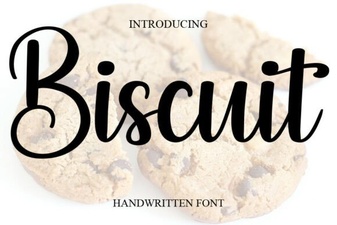 Biscuit Font: Sweet Typography for Creative Projects
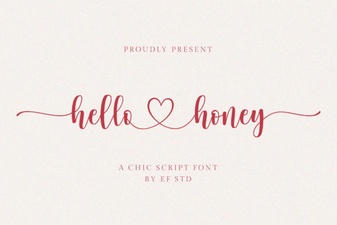 Hello Honey Font: Sweet Script Typography for Creatives
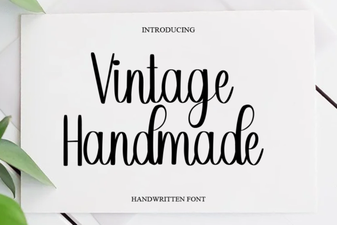 Vintage Handmade Fonts for Creative Project Inspiration
 Better Together Font Pairing Ideas & Design Tips
 Honeymoon Handwriting Font: Romantic Script for Wedding Designs
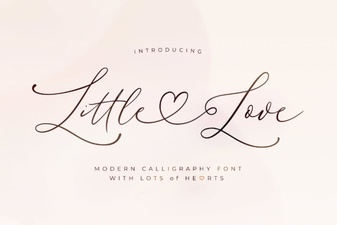 Little Love Font: Adorable Handwritten Typeface for Projects